


The slow part of listing a clothing haul often comes after the photos: matching each garment to its size, measurements, faults and description. Listalong Snap keeps each item’s photos and notes together and prepares an editable eBay draft. You check the details and choose what to publish. We make Snap; this guide shows how to use it for second-hand clothing.
It suits sellers working through different garments as separate, fixed-price listings. If you have one straightforward item, the eBay app may already cover the job. Its mobile selling tools support photos and listing creation too. Snap’s useful difference is moving through several photo groups before reviewing the prepared drafts.
The buttons above open the US iPhone and Android downloads. Selling in Australia? Use the Australian App Store or Google Play in Australia. Draft generation uses credits; the cost section below explains the welcome allowance and paid top-ups.
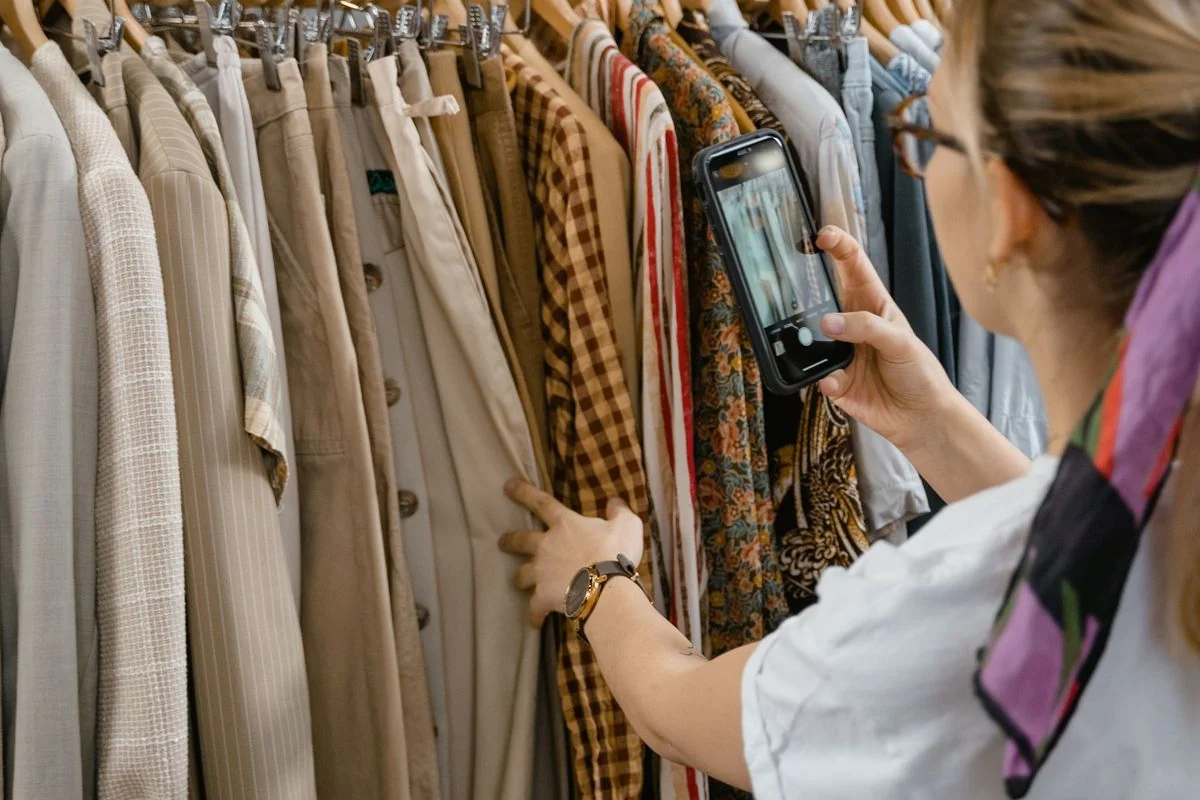
1. Photograph each garment as a separate item
Set up a clear background, even light and a measuring tape. Keep the garment you are photographing separate from the rest of the pile. Start with the whole item, then capture the details a buyer would inspect in person.
| Garment | Photos to take | Details to check while it is in your hands |
|---|---|---|
| Shirt or T-shirt | Front, back, brand/size label, fabric label, cuffs and underarms | Flat chest and length; fading, pilling or marks |
| Jeans or trousers | Front/back, waist label, hems, crotch and worn areas | Flat waistband width, inseam and rise; alterations or thinning fabric |
| Dress or skirt | Front/back, size/fabric labels, fastening and lining | Relevant bust/waist/hip widths and length; missing belt or lining damage |
| Jacket | Front/back, labels, lining, zipper/buttons and cuffs | Flat chest, length and sleeves; whether fastenings work and detachable parts are included |
Take a close-up of each flaw and a wider photo showing where it sits. A cuff mark needs both its appearance and location. Use photos of the actual garment; eBay’s photo guidance for used items explains why stock photos are unsuitable and recommends showing imperfections clearly.
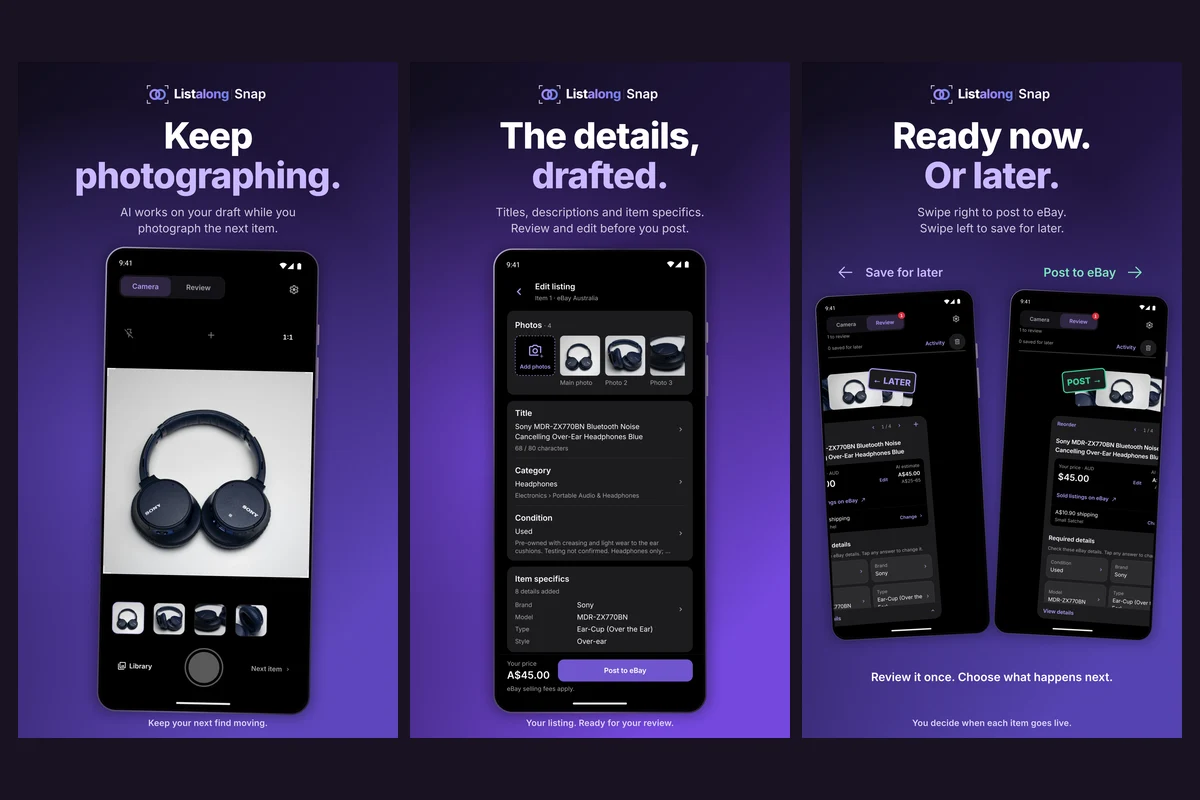
Add the item’s notes, then tap Next item before photographing the next garment. If you import existing photos, select one garment’s group at a time. Two similar black shirts still need separate photos, notes and drafts.
2. Add the details photos cannot reliably supply
Use the seller note for measured dimensions, tested fastenings, missing parts and condition details. Write the observation directly: “Small mark on right cuff; zipper checked and working” is more useful than “nice jacket.”
Keep tagged size and measured size distinct. For jeans, “tagged W32; waistband measures 16.5 inches across laid flat” gives the buyer both pieces of information. Do not replace the label with a guessed size conversion. The jeans measurement guide shows where to put the tape.
State whether a number is a flat width, a length or a circumference. “Chest 22 inches” is ambiguous; “flat chest, armpit to armpit: 22 inches” is clearer. For stretch garments, say whether you measured the fabric relaxed. Keep any unverified fabric, age or style claims out of the note.
Once the group is ready, generate its draft or continue building the batch. Snap also offers generation after each item while you keep photographing. Keep the app open until photo uploads finish.
3. Worked example: a jacket with a cuff mark
Imagine a blue men’s jacket with an M size label, no readable brand or fabric label, and a mark on the right cuff. Photograph the front, back, size label, lining and mark, then enter your observations.
Example seller note:
Men’s blue full-zip jacket. Tagged M. Flat chest, armpit to armpit: 22 inches. Back length: 27 inches. Small mark on right cuff, photographed. Zipper checked and working. Brand and fabric labels missing.
The following is an editorial example of a checked listing, not a claimed Snap-generated result. Use it to see how the evidence should carry through to a draft.
Example title: Men’s Blue Full-Zip Jacket Size M — Cuff Mark
Example description:
Blue men’s full-zip jacket, tagged M. Measures approximately 22 inches across the chest laid flat, armpit to armpit, and 27 inches along the back. Small mark on the right cuff, shown in the photos. Zipper checked and working. Brand and fabric labels are missing. Please compare the measurements with a jacket you own.
When reviewing the actual draft, keep the cuff mark in the condition description and check that the size remains M. If the draft supplies a fabric composition or brand that the evidence does not establish, correct it. Do not turn “label missing” into “polyester” or “vintage.”
This is the benefit of recording details before moving on: you can review the jacket without trying to remember which garment had the mark. The seller-note guide covers other useful note patterns.
4. Check the draft, price and shipping
Review one garment at a time, with its photos visible. These checks catch problems that a fluent description can hide.
| Listing field | What to check |
|---|---|
| Title | Correct garment type, known brand, color and tagged size; no unsupported material or age claims |
| Condition | Every observed fault is described; “excellent condition” does not conceal a stain or repair |
| Item specifics | Size, department, material and style agree with the labels and your observations |
| Measurements | Units and method are clear; a flat width has not become a circumference |
| Photos | Only this garment is included; labels and fault close-ups are readable |
| Price and shipping | Asking price, actual item location, packed weight/dimensions and shipping policy are appropriate |
Treat a suggested price as a starting point. Compare sold examples with a similar brand, garment type, size and condition. An unworn jacket with its belt is not a direct comparison for one with a marked cuff and missing belt. Use the used-clothing pricing guide for that decision, then edit the asking price in Snap.
For US stock, confirm eBay US, USD, your actual city/state/ZIP and the shipping settings for the packed garment. For Australian stock, confirm eBay Australia, AUD, suburb/postcode and postage settings. A jacket packed with padding can need different postage from a light T-shirt; check each item rather than carrying the same assumption through the batch.
Keep the units you actually measured in. An Australian op-shop note might say “tagged AU 12; flat chest 48 cm; back length 62 cm.” Those numbers describe that example garment; they are not a conversion of the US jacket above. Changing a currency symbol likewise does not convert an asking price.
5. Publish the ready garments and put them away
If a draft needs another measurement or clearer label photo, save it for later and finish the ready items. After publishing, open the resulting eBay listing and confirm the photos, condition and shipping details. If submission status is unclear, check eBay before sending the same garment again.
Give each garment a stock reference in your inventory record and record its storage location before putting it away. “Blue jacket, tub 4” is useful only until another blue jacket arrives; a unique reference helps distinguish the two. The goal is to find the exact listed item when it sells.
For your first batch, choose a few garments that exercise different checks: a labelled shirt, jeans whose measured inseam differs from the tag, and an item with a visible fault. You can then check the full capture-to-review process using stock you know well.
What Snap costs and how to start
You need a Listalong login, a connected eBay seller account, and an iPhone running iOS 16.4 or later or a compatible Android phone. You can connect an existing eligible eBay account. Eligible accounts receive 300 welcome credits, once per eBay seller account. Credits are not listings: generation uses credits and further generation can require paid top-ups.
Snap has no recurring subscription. Editing and posting a generated draft use no additional generation credits. Apple or Google shows the top-up price and currency before purchase; eBay fees are separate. See the pay-as-you-go cost guide for the calculation.
Start with your next clothing batch: download for iPhone in the US, iPhone in Australia, or Android on Google Play.
You do not need a crosslisting subscription to create eBay listings. Selling them on other marketplaces is a separate Listalong product decision.
Product details checked against the App Store listing and published Snap workflow on 17 November 2026. Clothing notes and listing copy are illustrative.
Common questions
Can Snap list clothes I have already photographed?
Yes. Import the photos for one garment together, add that garment's notes, then start the next item. Check the thumbnails before generating so similar shirts do not end up in the same listing.
Can Snap work out clothing measurements from a photo?
Take the measurements yourself and add them with units. A garment's appearance does not establish its dimensions, and a size label does not replace measurements of the actual item.
Can I list several sizes or colors under one eBay listing?
Snap's workflow is for eligible individual fixed-price listings. A batch of separate garments creates separate listings. Use eBay's own listing tools for a listing with selectable size or color variations, or for an auction.
Does Snap also crosslist these clothes to other marketplaces?
Snap prepares and posts eBay listings. Listalong crosslisting is a separate service with its own account and marketplace eligibility; it is not required to use Snap.