
The short version
- Read the model above the rear barcode and use that exact code when comparing sold controllers.
- Record connection, inputs, and visible wear separately so your condition note is specific.
- Set aside any borrowed cable before taking the photo of what the buyer receives.
Identify the controller before comparing prices
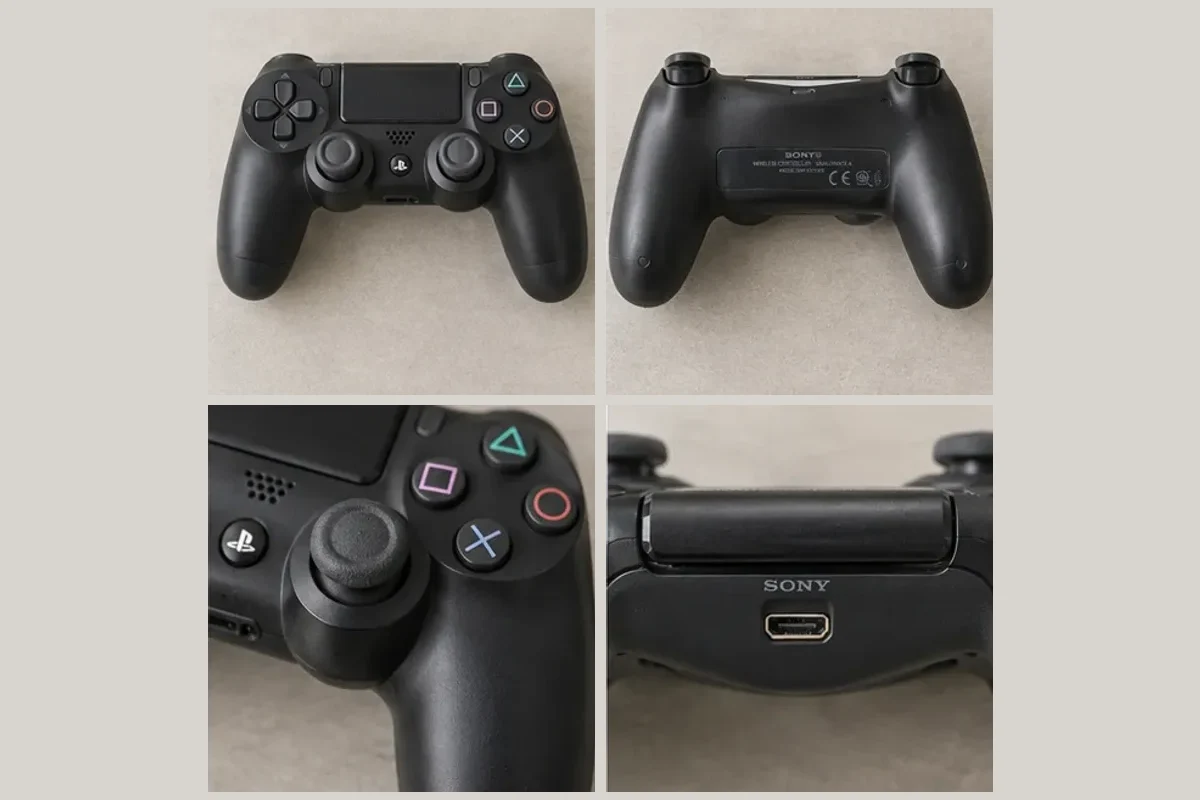
Turn it over and read the rear label. On a Sony DualShock 4, the model code sits above the barcode. The separate serial number sits below it. A model code such as CUH-ZCT2U helps you compare like with like. If the label is worn through, photograph what’s legible and avoid guessing the last character. PlayStation’s model-number guide
Pick up any accessories you plan to include and put them beside this particular controller. Two black controllers in a drawer can have different model codes, thumb grips, and battery behavior. Keeping them separate now makes the later listing review much easier.
Run a short input check
- Connection. With a compatible setup, connect the controller and note which device recognized it. Check wireless play separately if you’re going to describe the wireless connection.
- Buttons and triggers. In a game or an input test screen, press the D-pad in each direction, tap each face button, and try both shoulder buttons and triggers. Use a screen where the input has a visible result.
- Sticks. Move each stick through its range and release it. Watch a stationary character or camera for movement while your thumbs are off the sticks. Record any direction that continues moving. One brief check gives you a result for that session.
- Power. Note whether the controller ran unplugged and how long you actually observed it. A ten-minute session gives you a ten-minute observation. Leave a full-charge runtime estimate out unless you measured it.
Put any fault where the buyer can find it
A sample note for a controller with drift reads “Paired wirelessly with a PS4. Face buttons and triggers responded during a ten-minute test. Character moved left with the left stick released. Left thumb grip worn. Controller only.” Choose the condition offered for the category that fits the fault and make sure the title, condition field, and description agree. eBay’s item description policy
Take a face-on photo, then a close-up of the worn grip. Photograph the rear shell and charging port. A photo can show the worn rubber. The test note is what tells a buyer about the drift. Compare sold examples with the same model and fault before setting a price.
Review the condition wording in Snap
The Snap batch demo includes a controller you can review. For your own Android listing, add the test results before generating the draft. Check that the title has the right model and that a general phrase such as “works well” hasn’t displaced your specific drift note. Save the item for later if you still need to test a button.
Common questions
How can I describe a controller if I don't have a PS4 to test it?
State what you could observe, such as whether a charging light appeared, and identify the connection or gameplay tests you could not run. Select a condition option consistent with what you know about the controller.
Should I include a charging cable in the cover photo?
Include it if it goes with the sale. If you borrowed a cable for testing, take it out of the sale photos and tell the buyer the controller ships without a cable.